本地识别 · 一点打码 · 图片不上传
分享截图之前,
隐私先藏好
自动找出手机号、身份证、银行卡、二维码、人像和聊天头像。轻轻一点文字就隐身,背景自然保留。全程在 iPhone 本机完成。
- 无需账号
- 无分析 SDK
- 图片不上传
- 晚上吃什么?
- 可以呀,到了给我打电话
- 扫码加我
- 老地方见
试试点右侧的气泡
本地识别
不只聊天,隐私都照顾
文字识别和规则引擎都跑在你的 iPhone 上。找到的每一处都标出来,由你决定怎么遮。
-
手机号
带区号、空格、脱敏写法都认得
-
身份证
校验位核对,不靠长相猜
-
银行卡
Luhn 校验,订单号不误报
-
二维码
收款码、加好友码一并找出
-
人像
照片里的人脸自动框出
-
头像与备注
聊天双方的头像和备注名
- 快递单号
- 地址
- 邮箱
- 网址
- IP 地址
- 金额
- 密钥与令牌
- 航班与订座号
前后对比
拖一下,看看打码前后
敏感号码默认用纯色覆盖,而不是模糊 —— 模糊有可能被部分复原。
- 已揽收
- 运输中
- 派送中
- 快递单号
- SF 1234 5678 9012 3
- 收件人
- 王小明
- 电话
- 139 1234 5678
- 地址
- 幸福市和平区光明路 12 号 3 单元
标注
让截图自己把话说清楚
箭头、文字、聚光灯、放大镜、步骤、高亮 —— 发教程、提 bug、给家人指路,一张图就够。
开启两步验证后,在新设备登录时需要输入验证码,账户被盗的风险会大大降低。
最近登录:11 月 12 日 21:04
一个 App 搞定
打码、标注、水印,随手就好
-
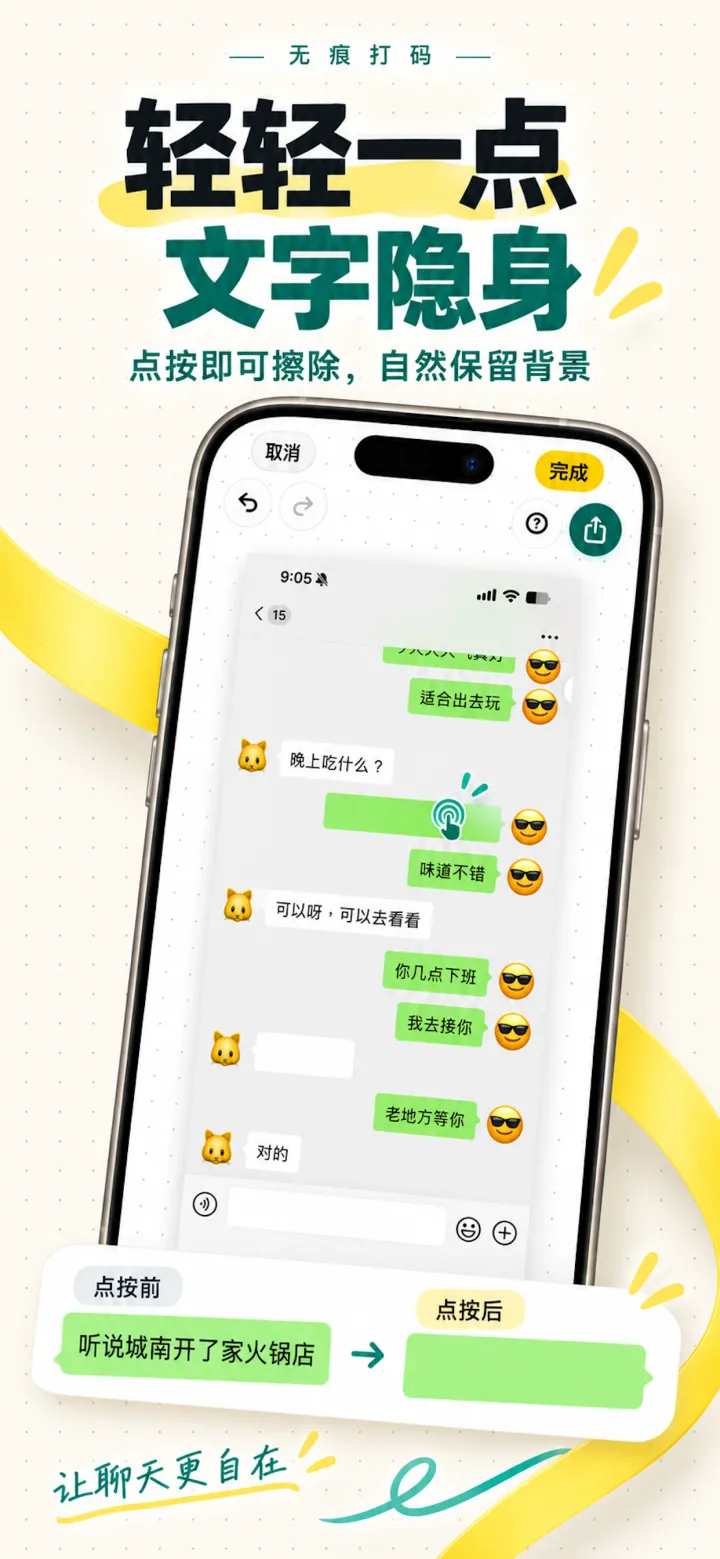
轻轻一点,文字隐身
点按即可擦除文字,自然保留背景。
-
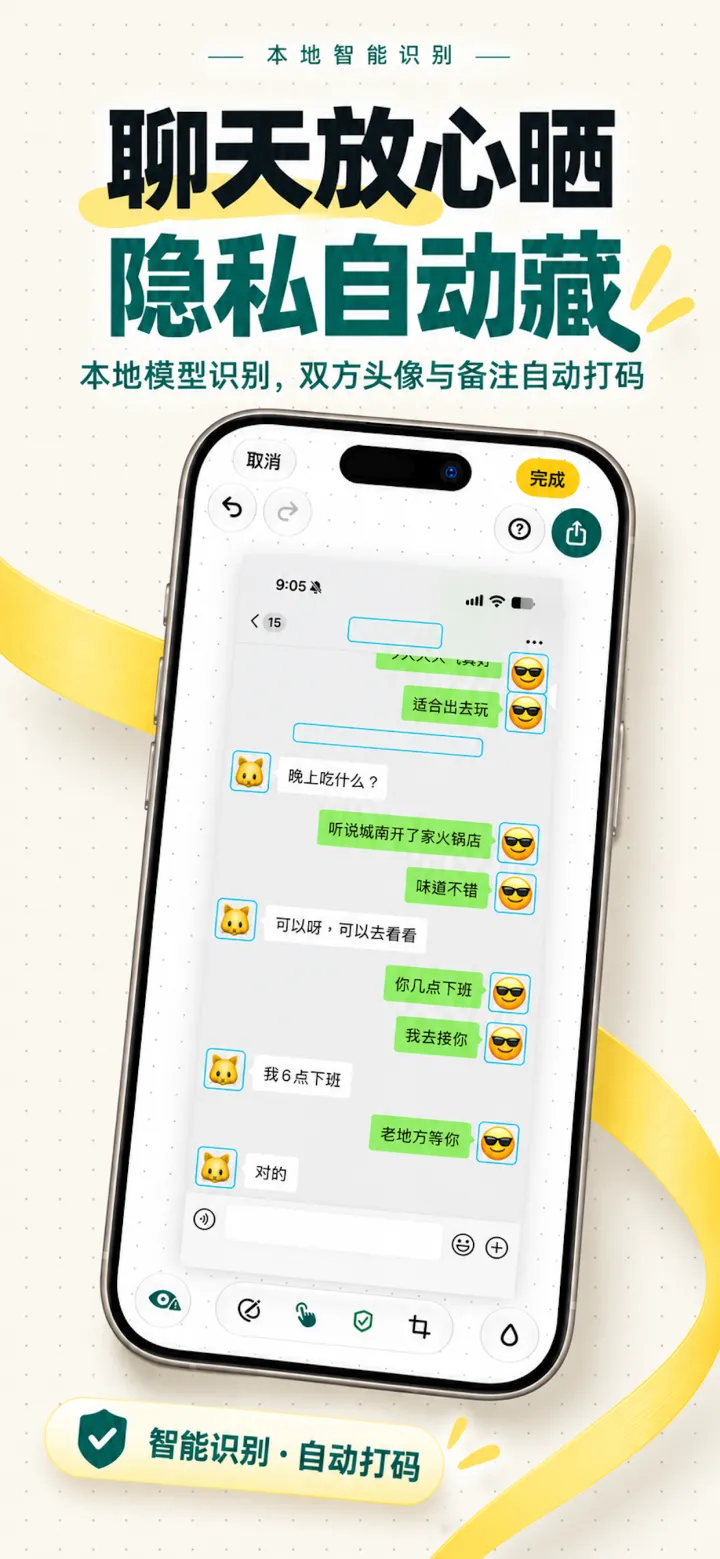
聊天放心晒
双方头像与备注名自动打码,也能换成可爱头像。
-
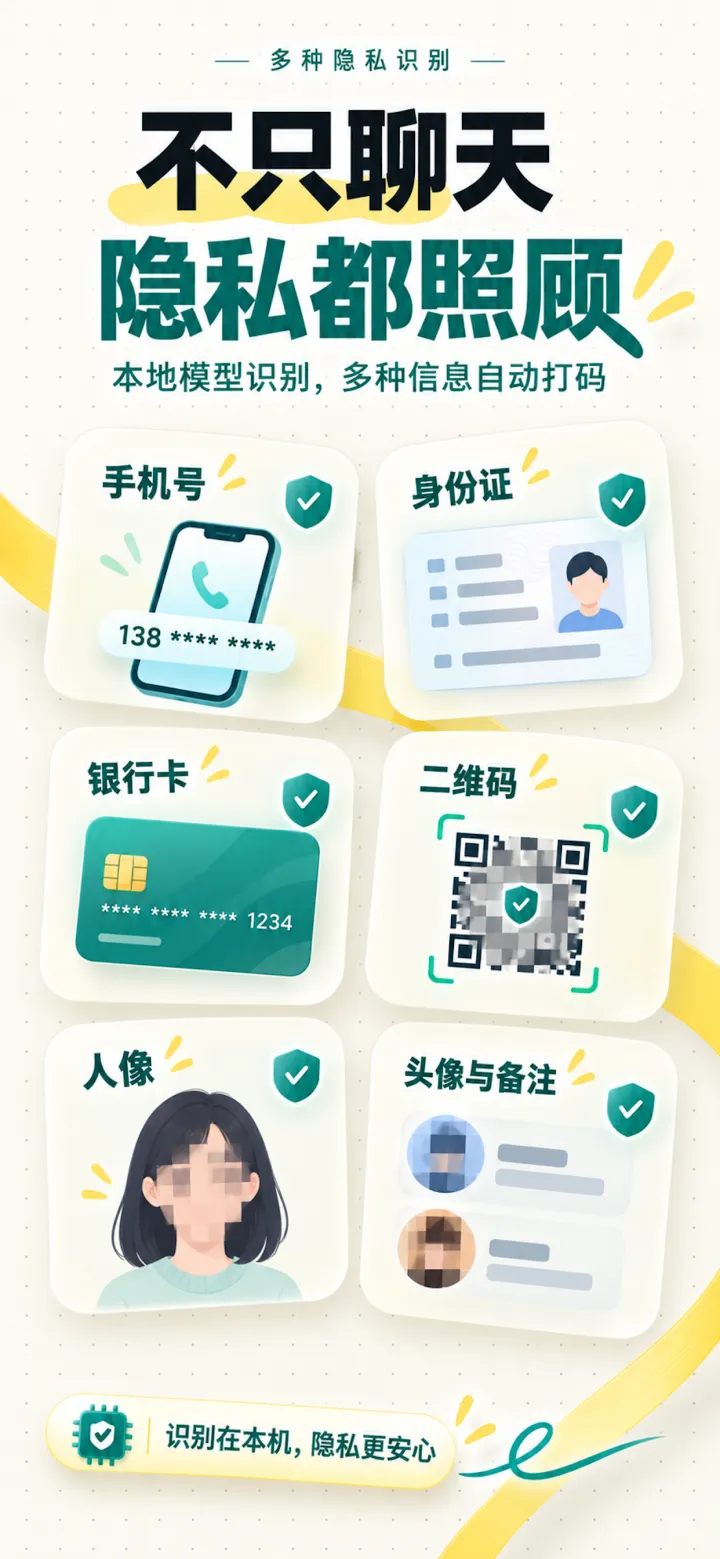
隐私都照顾
手机号、身份证、银行卡、二维码、人像,本机识别。
-
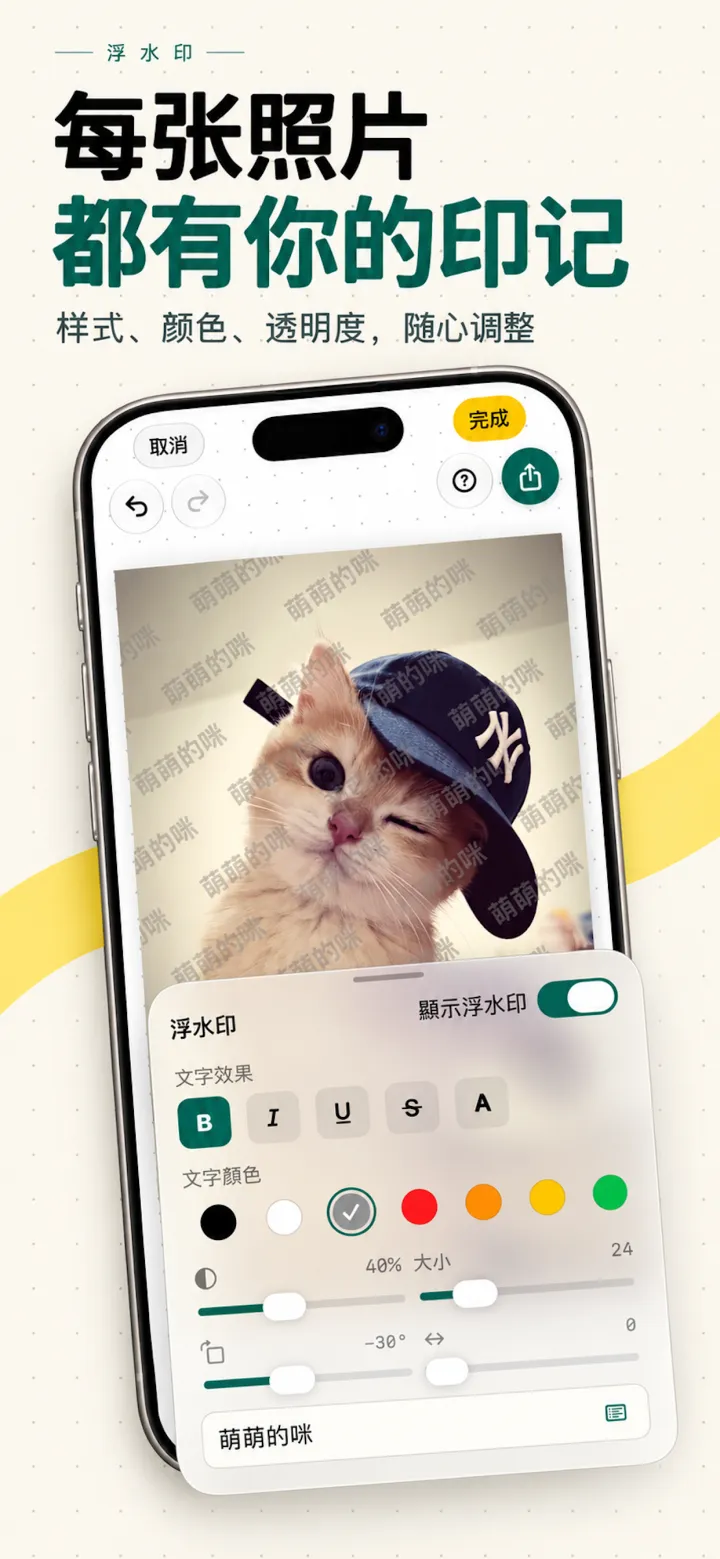
每张照片都有你的印记
浮水印样式、颜色、透明度随心调。
-
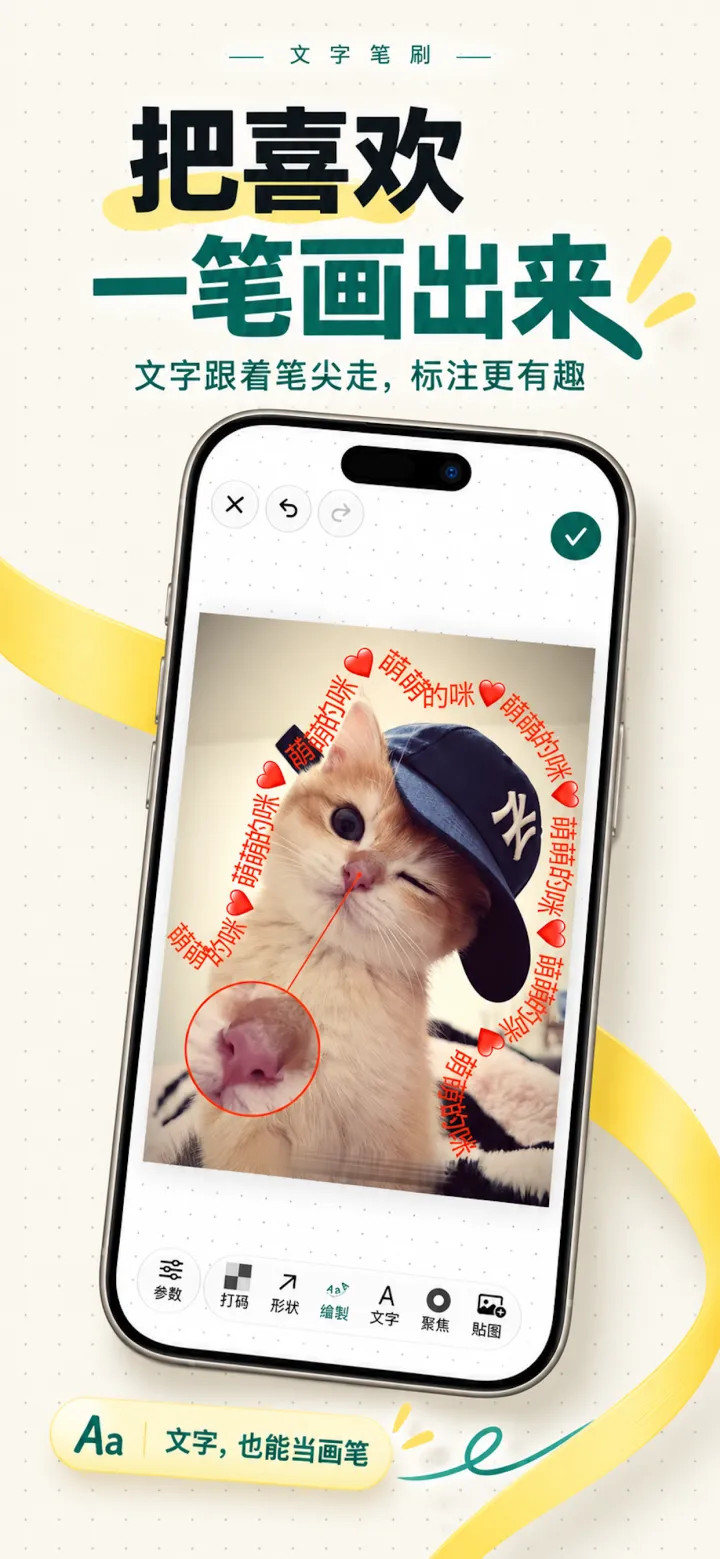
把喜欢一笔画出来
文字跟着笔尖走,标注也能很有趣。
- 1
App 内购买
Apple 的 StoreKit 处理付款,我们收不到你的支付和账户信息。
- 2
崩溃诊断
启动时发一条会话记录,崩溃后发崩溃报告。可在设置里关闭。
- 3
新版本检查
每次打开时向 App Store 查询最新版本,只带 App 编号、地区代码和界面语言。
- 图片
- 识别出的文字
- 敏感号码
- 相册信息
- 广告标识符
常见问题
我的图片会被上传吗?
不会。识别、打码、标注、保存都在你的设备上完成,maskable 没有任何接收图片的服务器。
支持哪些设备?
iPhone 与 iPad,需要 iOS / iPadOS 16 或更高版本。
会修改我的原图吗?
不会覆盖原图。你可以另存为新照片,也可以更新当前照片 —— 后者通过系统相册的非破坏式编辑保存,随时能还原。
收费吗?
可免费下载使用。Pro 解锁全部功能,提供月度订阅、年度订阅和终身买断三种方式,价格以 App 内显示为准。

下一张截图,发之前先过一遍
适用于 iPhone 与 iPad,iOS 16 及以上。
On-device · One-tap redaction · Nothing uploaded
Share the screenshot.
Keep the private parts.
Finds phone numbers, ID numbers, bank cards, QR codes, faces, and chat avatars. Tap a line of text and it’s gone, background intact. Everything happens on your iPhone.
- No account
- No analytics SDK
- Images never uploaded
- Dinner tonight?
- Sure, call me when you get there
- Scan to add me
- See you there
Try tapping a bubble on the right
On-device detection
More than chats
Text recognition and the rule engine run on your iPhone. Every finding is marked, and you decide how to cover it.
-
Phone numbers
Country codes, spaces and masked forms
-
ID numbers
Check digits verified, not guessed by shape
-
Bank cards
Luhn-checked, so order numbers stay quiet
-
QR codes
Payment and add-friend codes alike
-
Faces
People in photos are boxed for you
-
Avatars & names
Both sides of a chat, pictures and names
- Tracking numbers
- Addresses
- URLs
- IP addresses
- Amounts
- Keys & tokens
- Flight & booking refs
Before and after
Drag to compare
Sensitive numbers are covered with a solid block by default, not blurred — blur can sometimes be partly reversed.
- Picked up
- In transit
- Out for delivery
- Tracking number
- 1Z 999A A101 2345 6784
- Recipient
- Jamie Rivera
- Phone
- (555) 019-2834
- Address
- 12 Example Street, Apt 3, Springfield
Annotate
Screenshots that explain themselves
Arrows, text, spotlights, a magnifier, steps and highlights — for tutorials, bug reports, or walking family through a setting.
With two-step verification on, signing in on a new device asks for a code, which makes your account much harder to take over.
Last sign-in: Nov 12, 21:04
All in one app
Redact, annotate, watermark
-
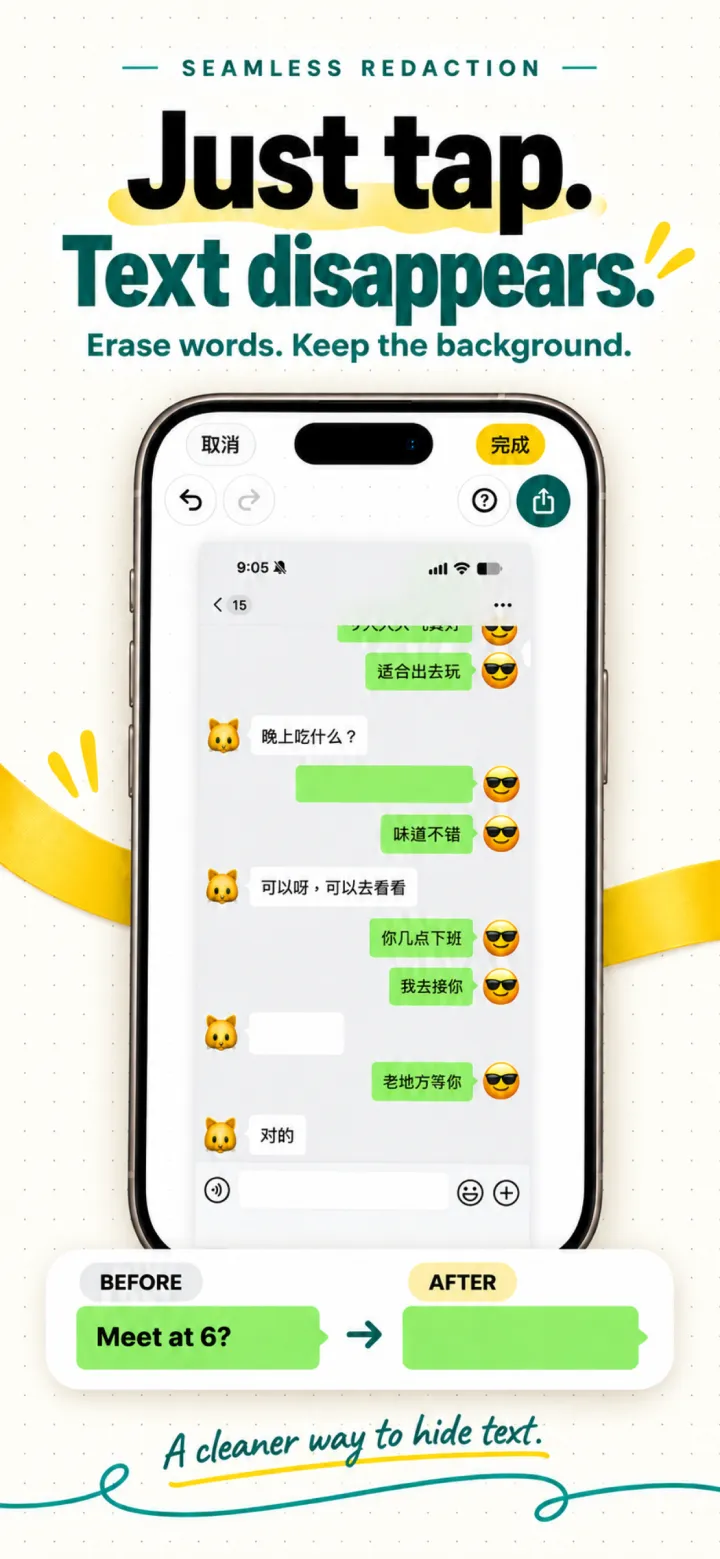
Just tap. Text disappears.
Erase words and keep the background.
-
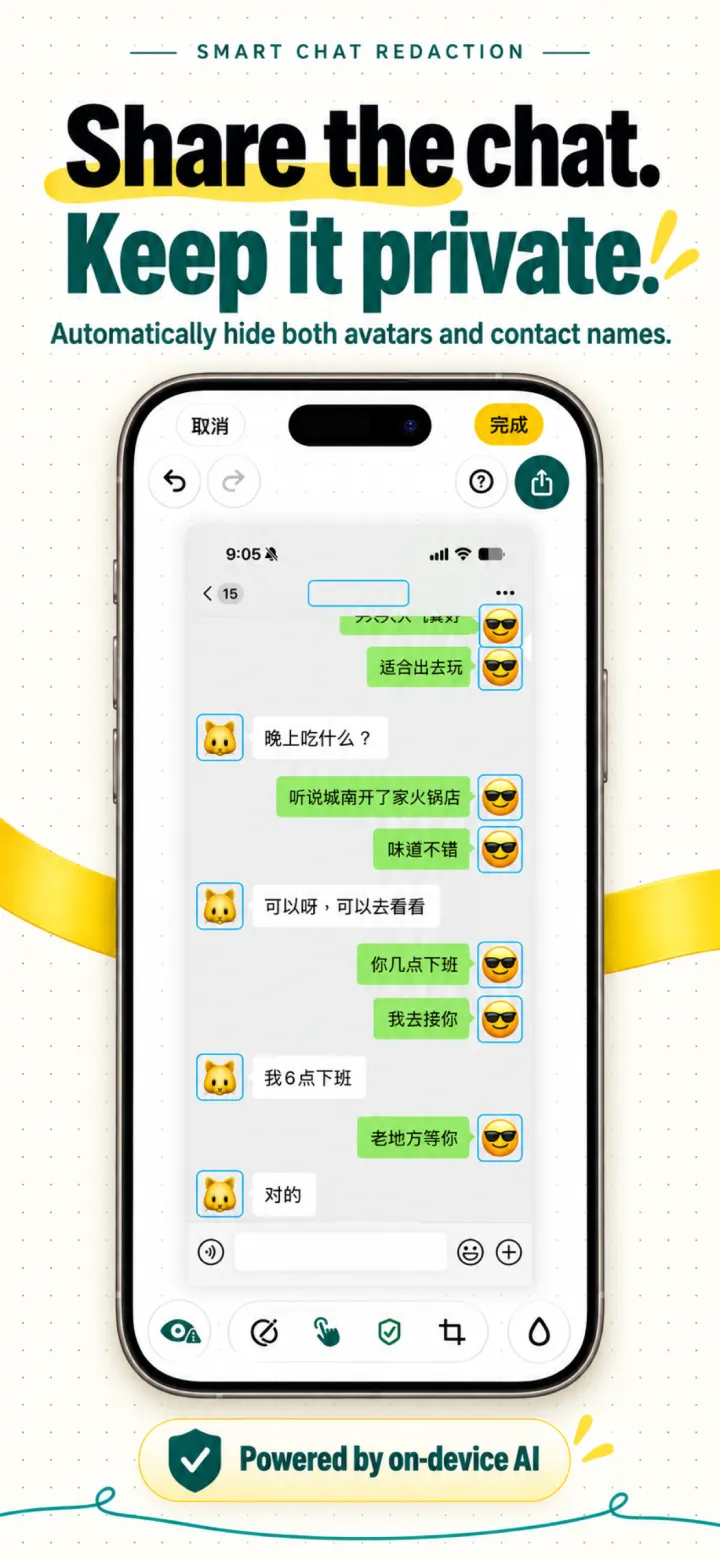
Share chats with confidence
Avatars and names on both sides, redacted or swapped for cute art.
-
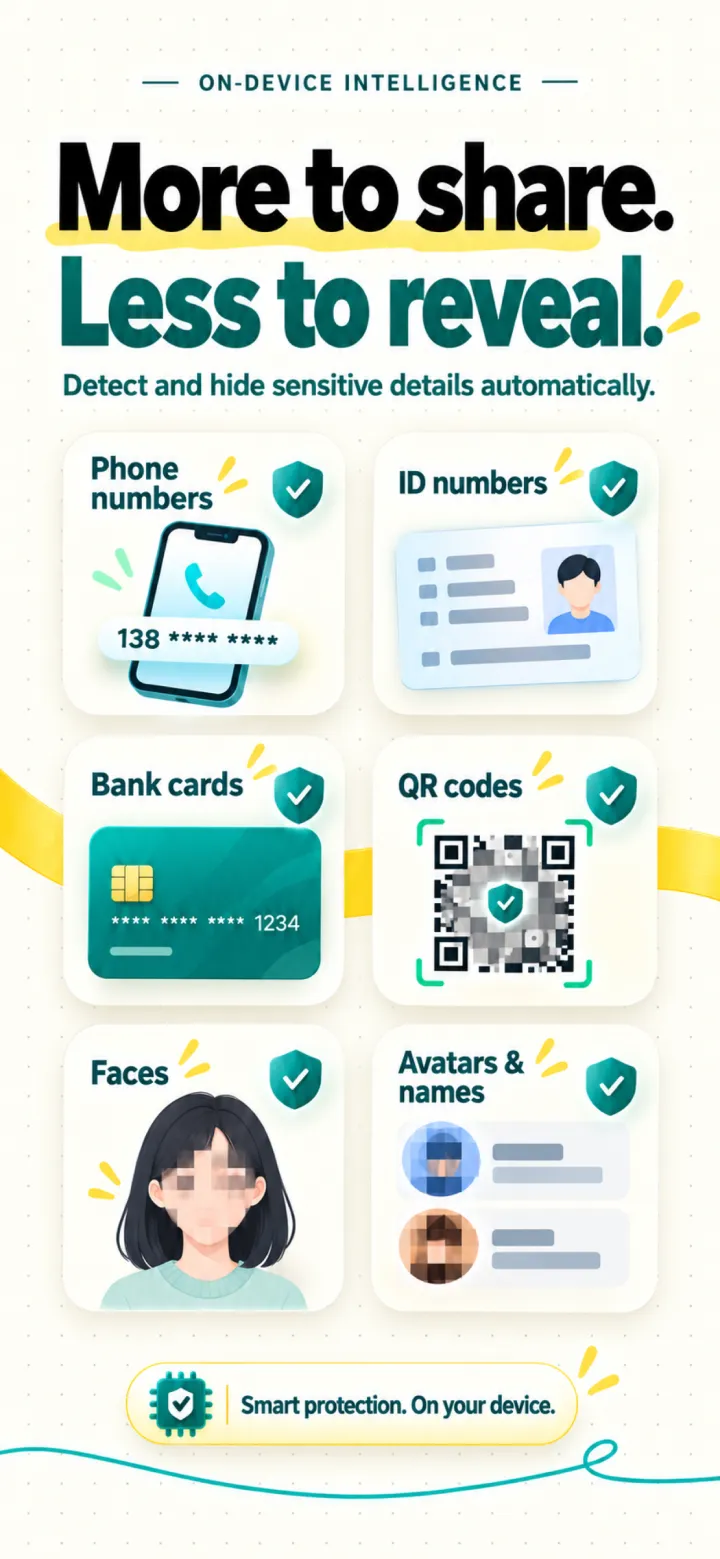
Private details, covered
Phone numbers, IDs, bank cards, QR codes and faces, found on device.
-
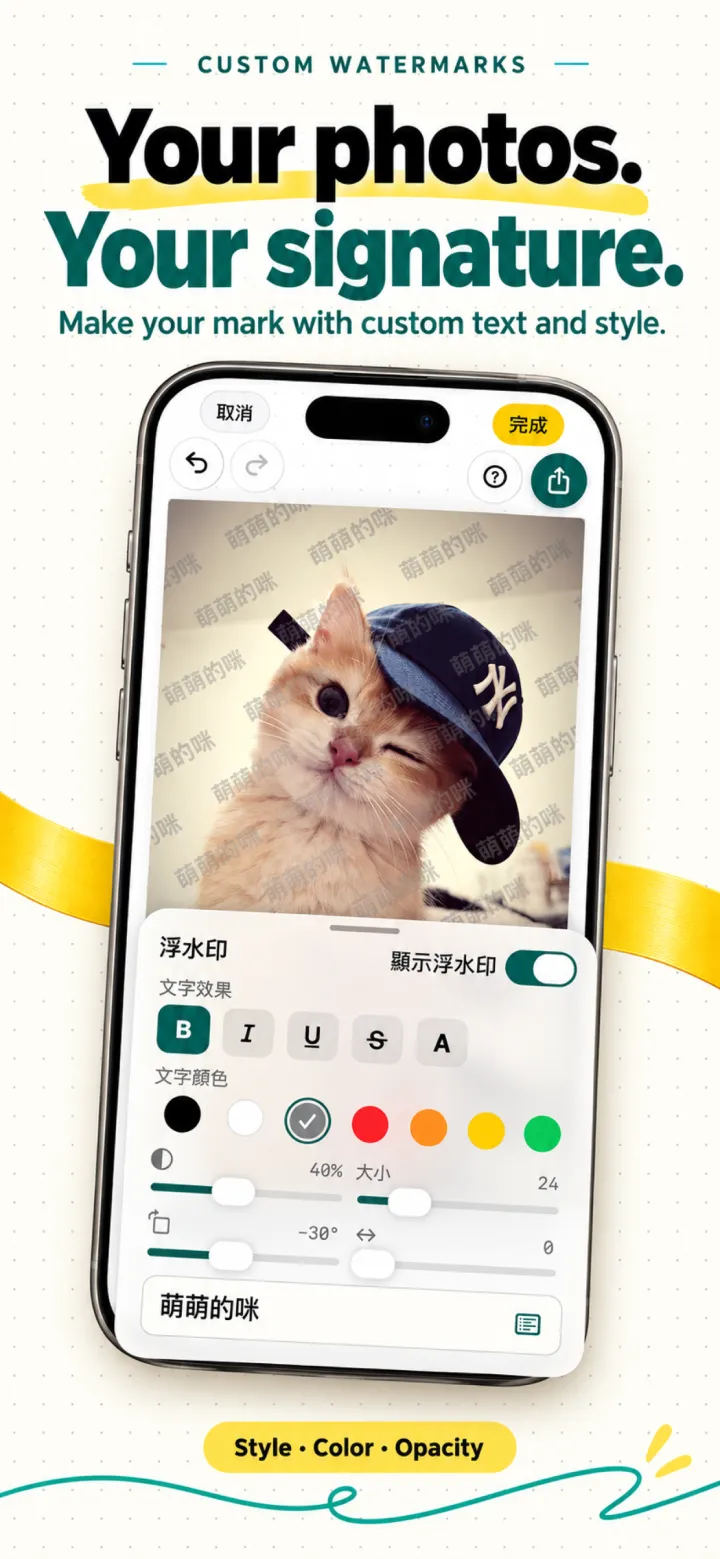
Make every photo yours
Watermark style, color, and opacity, all adjustable.
-
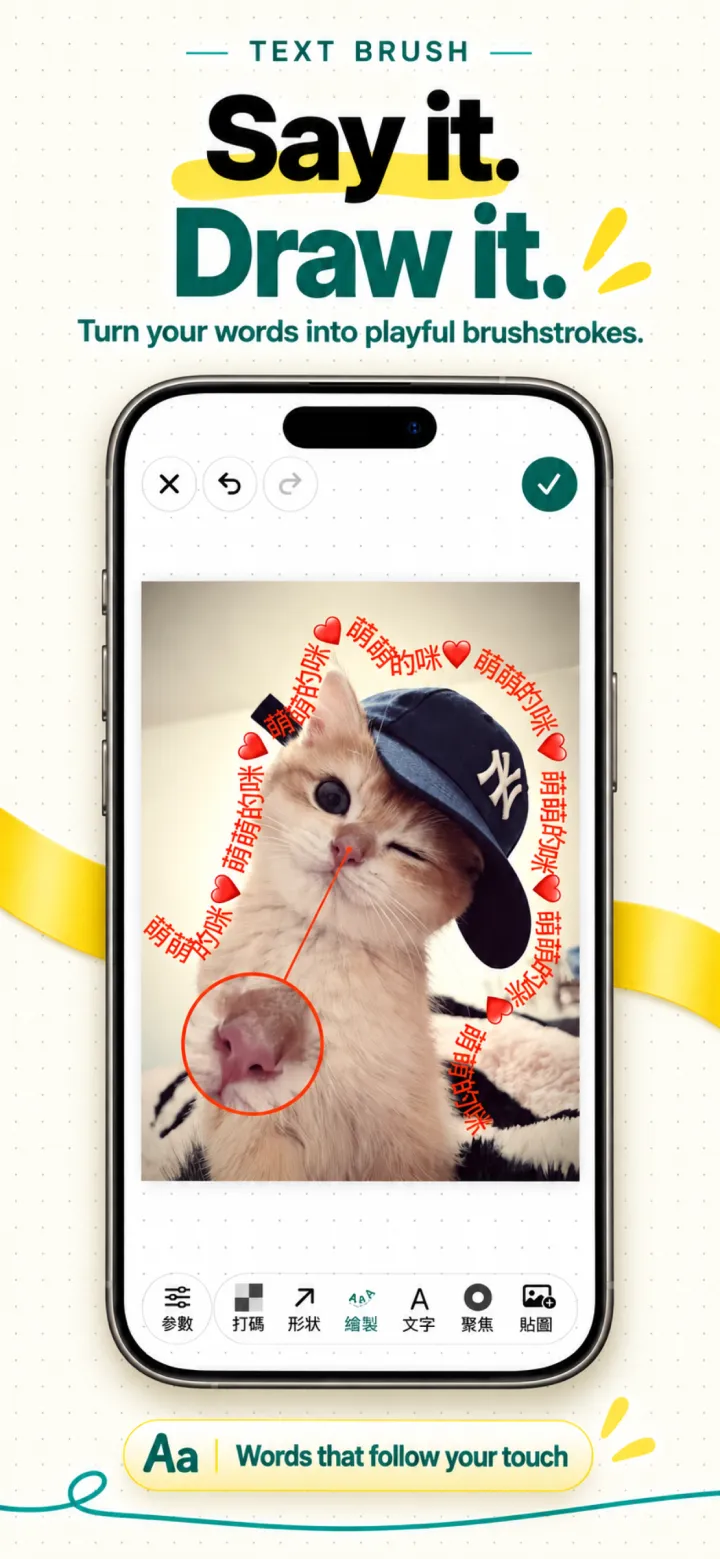
Draw with words
Text follows your fingertip for playful markup.
Privacy by architecture
There is no upload path
No account system, and no analytics, advertising, or remote config SDK. The app goes online in only these three cases, none of which carry images or personal content:
Read the full Privacy Policy- 1
In-app purchases
Apple’s StoreKit handles payment. We never see your payment or account details.
- 2
Crash diagnostics
A session record at launch and a crash report after a crash. You can turn it off in Settings.
- 3
Update check
Each time you open the app, asks the App Store for the latest version, sending only the app ID, region code, and display language.
- Images
- Recognized text
- Sensitive numbers
- Photo library info
- Advertising ID
Questions
Are my images uploaded?
No. Detection, redaction, annotation and saving all happen on your device. maskable has no server that receives images.
Which devices are supported?
iPhone and iPad running iOS / iPadOS 16 or later.
Does it change my original photo?
It never overwrites it. Save as a new photo, or update the current one — that uses the Photos app’s non-destructive editing, so you can always revert.
How much does it cost?
Free to download and use. Pro unlocks everything and comes as a monthly subscription, a yearly subscription, or a one-time lifetime purchase; prices are shown in the app.
Check your next screenshot before you send it
For iPhone and iPad, iOS 16 or later.